

Agents Can Generate Content. The Problem Is They Can't Operate on Real Systems.
Agents Can Generate Content. The Problem Is They Can't Operate on Real Systems.
Waldium now supports the Model Context Protocol (MCP).
This exposes your blog as addressable infrastructure that AI clients can operate on programmatically—directly from Cursor, Claude Desktop, or any MCP-compatible environment.
Instead of treating content as output from a chat interface, MCP makes it a stateful system with lifecycle management, knowledge grounding, and batch operations. Content becomes something agents can create, schedule, update, and publish without leaving the development environment.
Why MCP Integration Matters
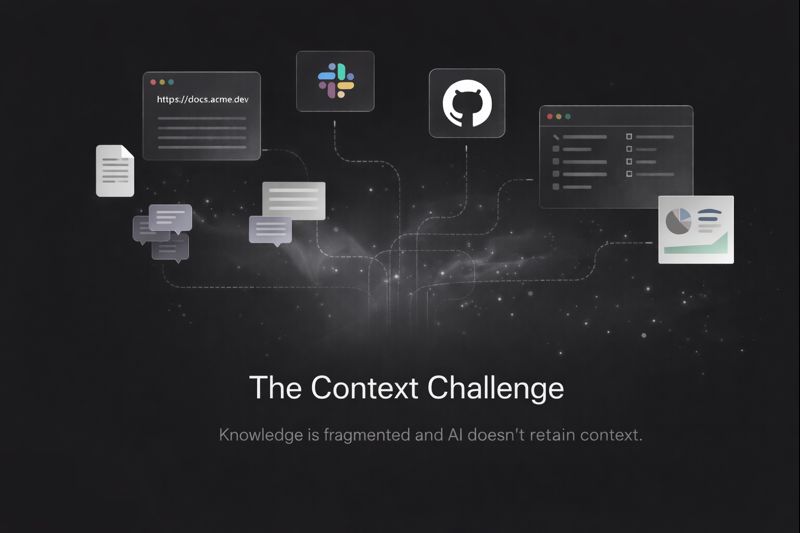
Most AI content tools are siloed. They generate text, but they can't interact with real systems. You get markdown in a chat window, then manually copy it somewhere else. State is lost between sessions. Knowledge context evaporates after generation. MCP provides a standard protocol for connecting AI clients to external systems with structured capabilities—similar to how USB-C standardized device connections.
For Waldium, this means:
- Posts become addressable objects with stable identity, revision history, and explicit publishing state
- Knowledge bases become queryable sources that ground generation in real documents
- Content operations become programmable through a typed API that agents can reason about
This shifts content from "one-shot generation output" to "infrastructure with state, lifecycle, and provenance."
What Waldium's MCP Integration Enables
With MCP configured, AI clients operating from your IDE can:
Knowledge-Grounded Generation Upload reference materials (PDFs, docs, CSVs, markdown) to your knowledge base. AI pulls from these sources during generation to produce factually grounded content, not generic web synthesis.
Batch Scheduling with Auto-Distribution Create 30 posts in a single call with automatic date distribution across a range. Apply shared defaults (author, category, tags, style) and let the system queue generation asynchronously.
Full Lifecycle Management Create drafts, update status (DRAFT → UNLISTED → PUBLISHED), retrieve posts for review, delete when needed. All programmatically, with state preserved between calls.
Model Selection Choose generation models based on use case: GPT-5 for depth, GPT-4.1-nano for speed, or intermediate options for cost/quality balance.
Geo-Targeted Content Operations Generate location-specific reports or content variants through dedicated tools that incorporate geographic context.
From the agent's perspective, Waldium is no longer just a destination for text—it's a system with queryable state that supports complex multi-step workflows.
How It Works: Concrete Workflow Example
Here's what a typical MCP-driven content workflow looks like in practice:
Agent workflow in Cursor:

WALDIUM_CREATE_KNOWLEDGE

→ Upload Q1 product roadmap (PDF)
 → System indexes for semantic retrieval


WALDIUM_BATCH_CREATE_POSTS

→ Generate 12 posts distributed over 30 days
 → useKnowledge: true (pulls from roadmap)
 → style: "technical deep-dive"
 → defaults: { category: "Product", tags: ["roadmap", "features"] }


WALDIUM_GET_POST

→ Agent retrieves draft for review
 → Checks against style guide, validates claims


WALDIUM_UPDATE_POST_STATUS

→ Publish when approved
All from your IDE. No context switching to a CMS. No copy/paste between tools. The agent maintains state across the entire workflow.
Design Constraint: Avoiding Full Document Regeneration One of the core constraints in exposing Waldium over MCP was avoiding naive full-document regeneration on every edit.
In practice, agent-driven workflows require scoped, state-aware edits—not rewriting entire documents from scratch on every request. Full regeneration breaks trust, overwrites human changes, and makes long-running documents impossible to maintain.
Waldium treats documents as persistent, structured objects with:
- Stable identity across sessions
- Explicit revision history
- Stateful publishing lifecycle (draft → unlisted → published)
MCP operations map directly onto these primitives. When an agent calls WALDIUM_UPDATE_POST, it's applying a targeted edit to a known document version, not regenerating from a prompt.
This allows agents operating from external tools to work safely against real document state without losing context or drifting over time. MCP is not a separate execution path—it's an interface into the same document system that powers the editor.
Built by Actually Using It We built Waldium's MCP integration by using it in Cursor and Claude Desktop. That meant fixing real integration failures:
Schema validation breaking on optional parameters MCP clients often omit optional fields. Our initial implementation was converting undefined to null, but Zod's .optional() only accepts undefined. We updated the route to pass through undefined naturally so agents can call endpoints without specifying every parameter.
Authentication requiring manual token formatting The original OpenAPI schema used type: 'apiKey', forcing users to manually prefix API keys with "Bearer". This caused failures in Gram and Cursor. We switched to HTTP Bearer authentication, which handles token formatting automatically and aligns with OpenAPI best practices.
The result: MCP tools that work the way agents actually call them, not just in idealized API specs
Why We Built This As agentic workflows mature, the bottleneck is no longer generation—it's where agents are allowed to operate.
If content only exists behind a UI boundary, agents can't:
- Maintain state across sessions
- Make precise, scoped edits
- Integrate into real development workflows
- Operate on structured knowledge sources
By exposing Waldium through MCP, we're treating content infrastructure the same way modern teams treat internal APIs: composable, addressable, and automation-friendly.
This is a step toward content systems that evolve alongside codebases, not separately from them. Content becomes something agents can operate on directly, with full lifecycle management and knowledge grounding built in.
Getting Started

Open your Waldium dashboard

Go to Settings → MCP

Install the MCP server

Configure in your MCP client (Cursor, Claude Desktop, etc.)

From there, you can create, schedule, and publish posts without leaving your editor.

Server URL: https://mcp.waldium.com/mcp/waldium-mcp

Available tools: WALDIUM_GENERATE_POST, WALDIUM_BATCH_CREATE_POSTS, WALDIUM_CREATE_KNOWLEDGE, WALDIUM_UPDATE_POST_STATUS, and more.
More coming as we expand MCP support across additional source layers and workflow primitives.
—Amrutha